 Fampay App Guide
FamPay App – Smart Payments for Everyone
FamPay — now presented as FamApp by Trio — puts UPI payments, a spending account and the FamX card in one place. This guide walks through what it does, how it works, and what to check before you install it.
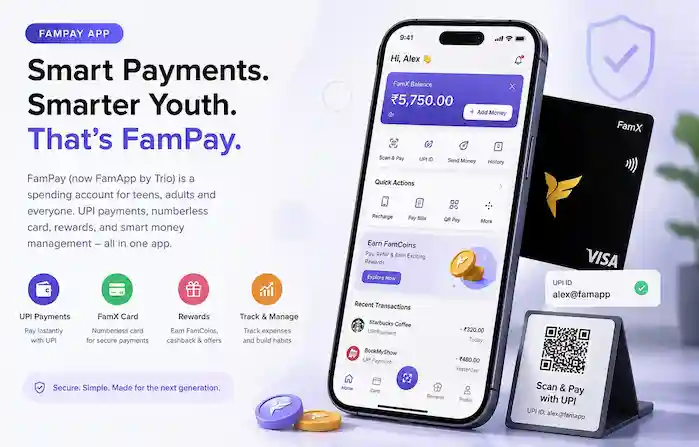
Fampay App started out as a payments app built for students and young people in India, giving them a way to make UPI payments and use a prepaid card without needing a traditional bank account of their own. If you've heard the name mentioned by friends or seen it referenced online, this page walks through what it actually is, what's changed about it recently, and what to check before you install it.
What is Fampay App?
Fampay App was launched in 2019 by a Bengaluru-based team as a way for teenagers and college students to make digital payments before they were old enough to open a full bank account on their own. It paired a numberless prepaid card with a UPI-based payments app, letting users pay at shops, split bills with friends, and get pocket money transferred digitally instead of in cash.
Since then, the product has been rebranded. The app now operates as FamApp by Trio, run by Tri O Tech Solutions Pvt Ltd, and is listed on the Google Play Store and Apple App Store under that name. The original "Fampay" name is still widely searched and referenced, which is why this guide continues to use it — but it's worth knowing the current, official listing goes by FamApp.
This site is an independent resource. It is not run by, or affiliated with, the company behind the app. Its purpose is to explain what the app does and how to install it responsibly — not to act as an official source.

What Fampay App is built for
The app is centred on everyday payments rather than long-term banking, and its feature set reflects that — UPI transfers, the FamX card, recharges, bill payments and a rewards system all sit in one place.
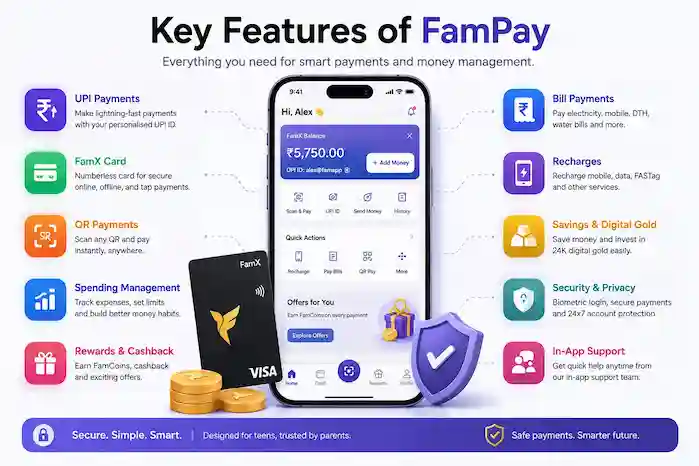
UPI payments
Link a bank account and send or receive money through UPI, including payments to apps like Paytm, PhonePe and Google Pay, or by scanning a QR code in person.
A numberless prepaid card
The card doesn't display the full number on its face, which is intended as an added layer of security. It can be paused or blocked instantly from within the app.
Tap-to-pay support
The card runs on the Visa network and supports NFC tap-to-pay for contactless payments at physical stores, in addition to online use.
Rewards on spending
Regular use of the card and app earns reward points that can be redeemed for cashback, discounts, and select gift cards.
Bill and recharge payments
Mobile recharges and utility bills such as electricity can be paid directly from the app instead of switching to a separate tool.
Spending controls
Because the app was originally built with younger users in mind, it includes basic controls for monitoring and managing how the card is used.
What makes the FamX card different
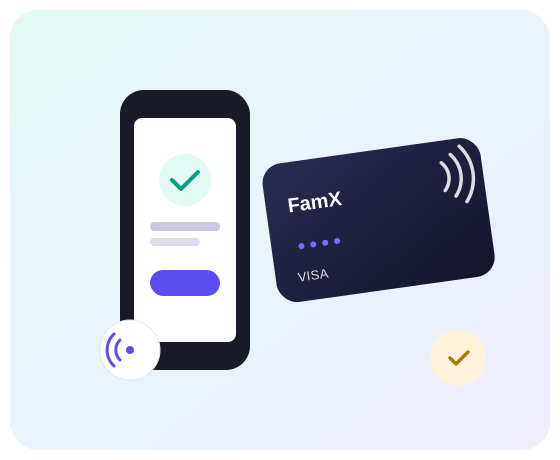
The FamX card is the physical side of the app — a Visa-network prepaid card that pairs with your account rather than a traditional bank card. The detail people tend to notice first is that it's numberless: there's no printed card number, CVV or expiry date on the card itself, so someone who finds or glances at it can't read those details off it directly.
It supports NFC tap-to-pay for contactless purchases in-store, alongside regular online checkout use. Day-to-day, you can pause it, block it, or view its details from inside the app in a couple of taps rather than calling a helpline.
We're not going to invent specifics like exact card material, delivery timelines, or issuance fees here, since those are the kind of details that change and are best confirmed on the official app or website at the time you sign up.
How the rewards side works
Spending through the app is tied to a rewards system, broadly along these lines:

FamCoins
Payments made through the app can earn FamCoins, a points-based reward currency used within the rewards system.
Cashback and discounts
Cashback and discount offers appear periodically, tied to specific merchants or spending activity.
Offers and giveaways
The app also runs occasional offers and giveaways as part of its rewards experience.
We're deliberately not quoting specific cashback percentages, reward rates or "guaranteed" bonuses — those terms change and are set by the app itself, not by us.
App information
| Original name | Fampay App |
|---|---|
| Current listed name | FamApp by Trio: UPI & Card |
| Developer | Tri O Tech Solutions Pvt Ltd |
| Category | Finance / Payments |
| Platform | Android and iOS |
| Official distribution | Google Play Store and Apple App Store |
| Founded | 2019, Bengaluru, India |
| Version / size / last updated | Check the official store listing — these change with every update, so we don't publish figures here that could go stale. |
Why users may be interested in the app
No traditional bank account required
It was designed for people who are too young to open a standard savings account but still want to make and track digital payments themselves.
Parental or self-managed control
Spending can be tracked in real time, and the card can be frozen instantly if it's lost or misplaced, without needing to call a bank.
One app for several payment types
UPI transfers, card payments, recharges and bill payments sit in a single app rather than being spread across several tools.
How Fampay App works, in short
Sign up and verify
You create an account in the app and complete the identity verification steps it asks for before a card or UPI ID is issued.
Load or link funds
You can link a bank account for UPI payments or add money to the prepaid card, depending on which features you plan to use.
Pay, track, and manage
From there you can pay in-store, online or via UPI, and track every transaction, reward, and card setting from inside the app.

Getting the app onto your phone
The straightforward, officially supported route is installing it from the Google Play Store or Apple App Store, the same as any other app. Our installation guide walks through that process step by step, along with what to check if you're considering an APK file instead.
Because this is a payments app tied to a bank account or card, we'd encourage sticking to an official app store unless you have a specific, trusted reason not to. More on that below.
View installation stepsWill it run on your device?
The app is built for mainstream Android and iOS phones and doesn't require unusual hardware. Exact minimum OS version and storage requirements are set by the developer and shown on the store listing at install time, since these are updated periodically.
A working internet connection is required to use any of the payment features, since transactions are processed online.
See compatibility details
Is FamPay App safe?
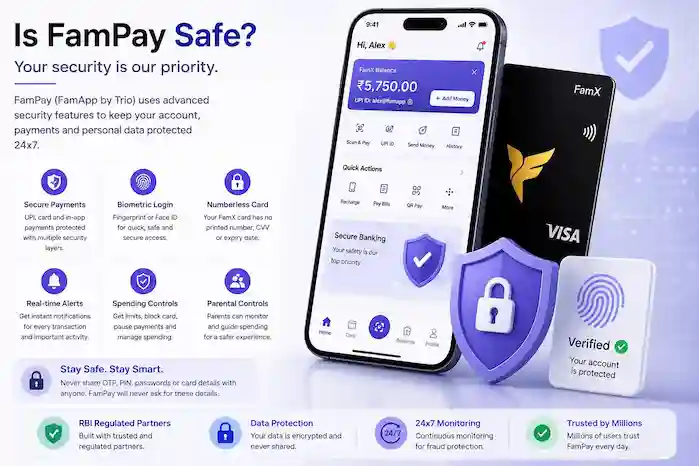
We can't promise any app is "100% safe" or risk-free, and we're not going to claim that here. What we can do is point out the practices that meaningfully reduce risk, since this app is tied to real money.
Prefer the official app store
Installing from Google Play or the App Store means the app goes through platform-level review and updates automatically. This is the lowest-risk way to install a finance app.
Be cautious with APK files
Several sites offer "Fampay APK" downloads that are not affiliated with the actual developer. Never enter your banking details or UPI PIN into an app installed from a source you don't fully trust.
Protect your OTP and PIN
Treat your OTP, UPI PIN and card details the way you would cash — the app itself will never need you to share an OTP or PIN with anyone, including someone claiming to be support.
Keep the app updated and check permissions
Installing updates promptly and reviewing what the app requests access to are both simple habits that reduce your exposure if something does go wrong.
Common questions
What is Fampay App?
It's a payments app, originally built for students, offering UPI payments and a prepaid card. It's now listed under the name FamApp by Trio.
Is Fampay App free to download?
Yes, the app itself is free to download and install from the official app stores.
How do I install it safely?
Install from Google Play or the App Store where possible. See our installation guide for the full walkthrough.